Open your product to everyone
bitcrowd can give your developers the tools, automations, and workflows to make building UI simpler, quicker, and more consistent.
Hire us

Remove barriers to people using your product, and improve usability for all your users
Make your product usable by more people
Accessible web applications are increasingly required by law
Clear navigation, structure, and usability
Accessible content is more machine-readable
Your heaviest users love their keyboards
Get your teams collaborating better
Your developers will build better UI
Accessible code is leaner & easier to maintain
Design and build your product to be usable by everyone, don’t exclude any customers.
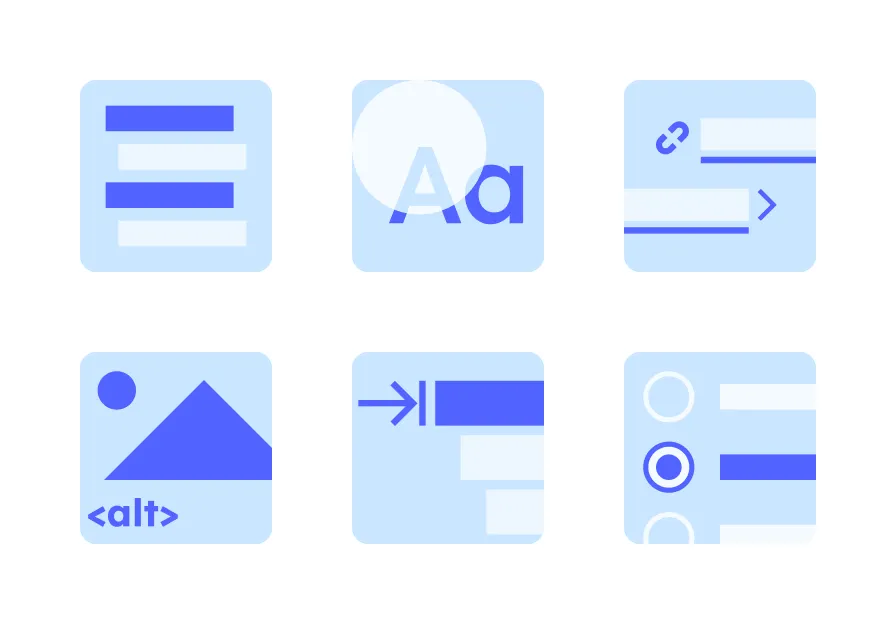
Accessible web applications make their content and functionality available to more people by allowing keyboard control, readable color contrast, and supporting assistive technologies like screenreaders.
Some people live with a permanent conditions such as low vision or impaired motor skills. Many more experience temporary hindrances such as a broken arm or lost glasses.
Even more commonly, situational barriers such as a loud environment, strong sunlight reflecting on the screen, or carrying a baby can all present challenges to using digital applications.
Build your product to be resilient to these challenges. Your users will thank you for it.
The European Accessibility Act (EAA) became legally applicable within the EU in June 2025. Since then, all digital applications from private companies in fields including e-commerce, transport, banking, and audio-visual media services, have to pass WCAG level AA. Public bodies were already covered by this requirement.
Laws in EU member states such as the BITV in germany implement the EU regulation, and all work to the same WCAG standard.
The more accessible your product is, the larger your addressable market. By not building an accessible product, you’re excluding your future loyal customers.
Other businesses which are affected by the EAA (even if you’re not directly) will only be able to use your product if it meets the WCAG accessibility guidelines.
Accessible applications are usable with many different user input devices, including a keyboard. Your power users tabbing around your app at speed will thank you for making their life in your application easier and faster.
To build accessible UI, developers need a deep, thorough knowledge of HTML, CSS, and JavaScript. They must also understand how real people use the web. This knowledge will improve every aspect of the UI that your developers build, not just for keyboard or screenreader users.
Building with the web platform, rather than duplicating its functionality or fighting against it, saves time, reduces code, and still creates better UI.
So-called “Accessibility overlays” or “Accessibility Widgets” offer a one-stop solution, but they do not meet the WCAG.
Discuss how we can kickstart your product’s accessibility
Accessibility suffers from a low level of awareness amongst developers and business leaders alike. bitcrowd can help fill the knowledge gaps in your organisation, and set you on the right path for your product’s future accessibility compliance.
An important first step, our accessibility audit of your web application will give you clear action points to bring your product up to standard.
We assess the current state of your application against the industry-standard WCAG 2.2 (level AA or AAA as you need). Using automated tools, we catch all the low-hanging fruit.
Manual assessment is necessary to pass all the Success Criterion of the WCAG, as many rely on human interaction and interpretation. Our experienced accessibility experts will complete the report with manual assessments.
Following the accessibility audit, we produce a report of the current state of your web application, with a clear, prioritised list of actionable changes to make.
The accessibility audit report contains detailed technical descriptions with all the information developers need in order to write tickets to fix the issues.
The results of the audit will be understandable and actionable for skilled developers. But if you don’t have the capacity or knowledge to implement the changes, we can help.
Many actionable changes will be for the frontend of your product, some could be for the backend. With a deep knowledge of web technologies and frameworks, our backend and frontend developers are ready to backup your developers flexibly and diplomatically.
We’re used to working successfully with in-house developers.
Accessibility is not just a one-off event such as an audit, it’s a process. Once your application passes the WCAG, you need to make sure that it continues to do so.
Every maintenance update and new feature is an opportunity to make some aspect of your user interface inaccessible again.
In remote or on-site workshops, we will assess your current workflows then suggest automated tools and processes for your designers and developers that help them maintain your product’s accessibility.
bitcrowd can give your developers the tools, automations, and workflows to make building UI simpler, quicker, and more consistent.
Hire us