Lose the stress of building UI
bitcrowd can give your developers the skills to build beter UI.
Hire us

Building blocks that bring consistency & productivity, and improve collaborative workflows.
Frontend & backend developers fly, creating UI from building blocks
Present a polished brand identity across your products
Design new features faster with your UI building blocks
No more repeated or custom-built UI. Build with easily-composable parts.
1-to-1 relationship between designs & frontend
Your developers will build better UI
Get your teams collaborating better
Industry-standard rock-solid methods for organising components
A design system brings structure and clarity into your web application, from design through to the frontend implementation.
All teams on the same page.
A framework of all brand design tokens such as colors and fonts, and the components and layouts your designers create from them, a design system organises your UI and branding.
Modern frontends implement those design tokens, components, and states, to have a direct 1-to-1 relationship with the design files.
Working with design systems improves workflows between your product, design, and frontend teams, and increases the consistency and speed at which you can build UI.
Ship new features faster, with better branding, & UI quality.
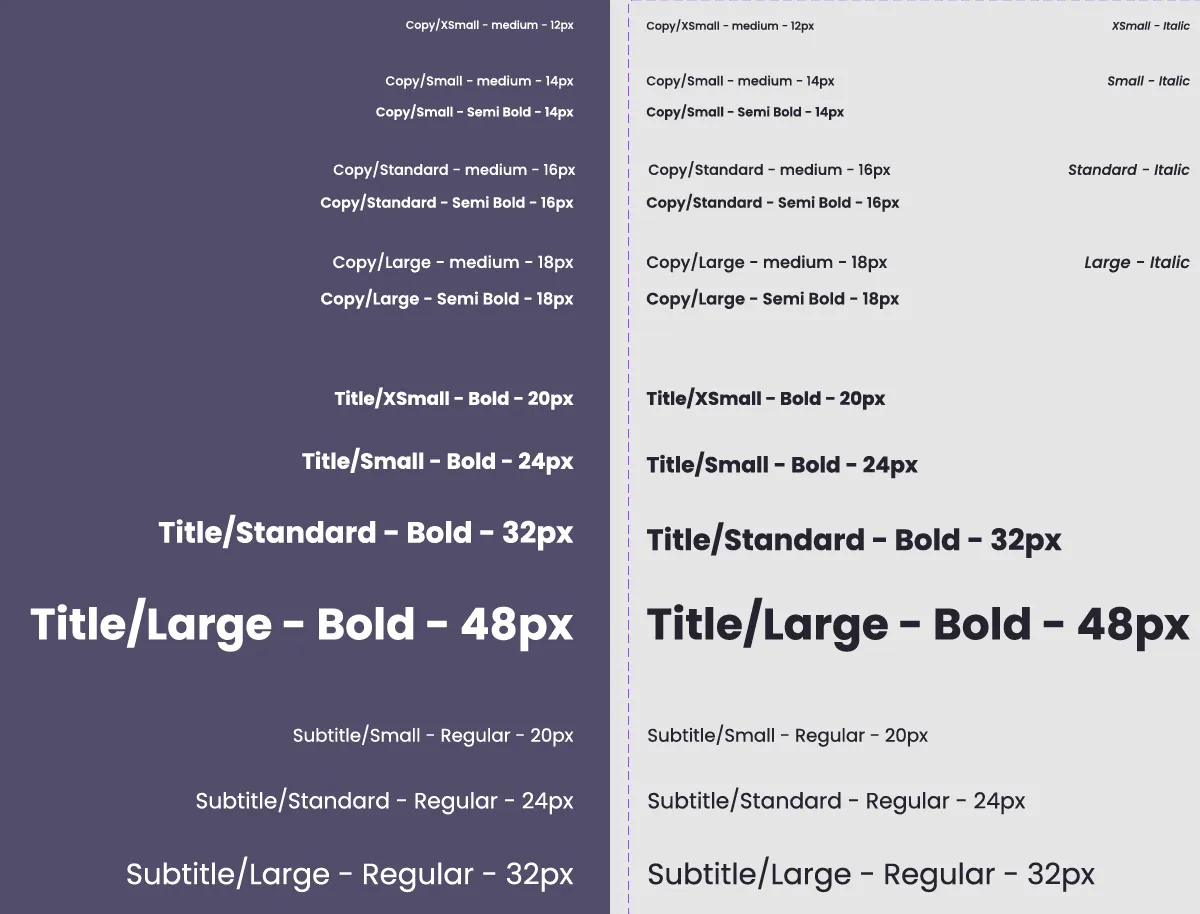
A design system gives your developers exactly what they need to implement a component. Developers can inspect designs to find out exactly which color and sizing variables have been used, to build components precisely, showcased in a component library like Storybook.
Building components with a fixed set of colors, spaces, font-sizes, border-radiuses etc. avoids inconsistency and a web application with an ever-growing variety of colors and typography.
This improves the quality and speed of their work. Reviews are quicker too.
Achieve greater UI and brand consistency by using these reusable components to build larger chunks of UI and entire pages. Building UI becomes a surprisingly quick task.
Organise UI components in a component library like Storybook are directly QAable by your designers. The best people to do this QA, they can now easily compare the isolated components against their designs. This improves the quality and speed of their feedback.
With both teams talking the same shared language of the design system, the powerful feedback loop boosts the quality and reliability of your UI, and the consistency of the brand experience.
No longer revisiting work already “done”, designers and developers will have more time to focus on pushing their work to the next level, adding polish and new features.
Get a speed boost from the structure & clarity of a design system, for new and existing products.
bitcrowd’s experienced design engineers have helped many teams bring their design & UI work to a new level.
Working alongside or through workshops, we introduce new best practices and workflows.
Even skilled design teams can lack the experience of building UI in this new way. Less pixel-based, and more like construction, it mirrors how things work in the frontend code.
We can work with your design team to asses how you currently work, and introduce the new concepts in a way that will stick, and form your new way of working.
Existing apps are commonly built without a solid component library.
This is not a problem. We have helped many clients add a new component library to their existing codebase, planning and managing the rollout to ensure a smooth experience for users and developers alike.
Your developer teams will learn new best practices, and are an invaluable part of the process. They know the codebase better than anyone, and their input is essential to ensure potential issues and edge cases are planned for.
Design systems present a great workflow for collaboration between your designers and developers. Perhaps you’re already working with a design system, but finding the process slower or more painful than you expected?
Our experienced design system engineers can work with your designers and developers to assess what’s happening, and find out what’s causing friction. In collaboration with your team, we’ll propose an action plan for improvements to the workflow, and help you introduce changes.
bitcrowd can give your developers the skills to build beter UI.
Hire us